
VizAi Tech
Built for ironworkers & fabricators

Document Heavy Equipment Repairs From the Field to the Shop

ServiceOS gives field and shop technicians one place to document heavy equipment work — machine records, guided repair steps, photo and video evidence, and technician notes that sync back to the shop the moment coverage returns. Service managers see job status and field findings without a phone call.

The hardware

Built for the hood, the harness, and the heat.

Pair VizAi with an auto-darkening helmet and the welder sees the next instruction the moment the arc breaks. No clipboards. No paper WPS. No walking back to the trailer to check a torque value.

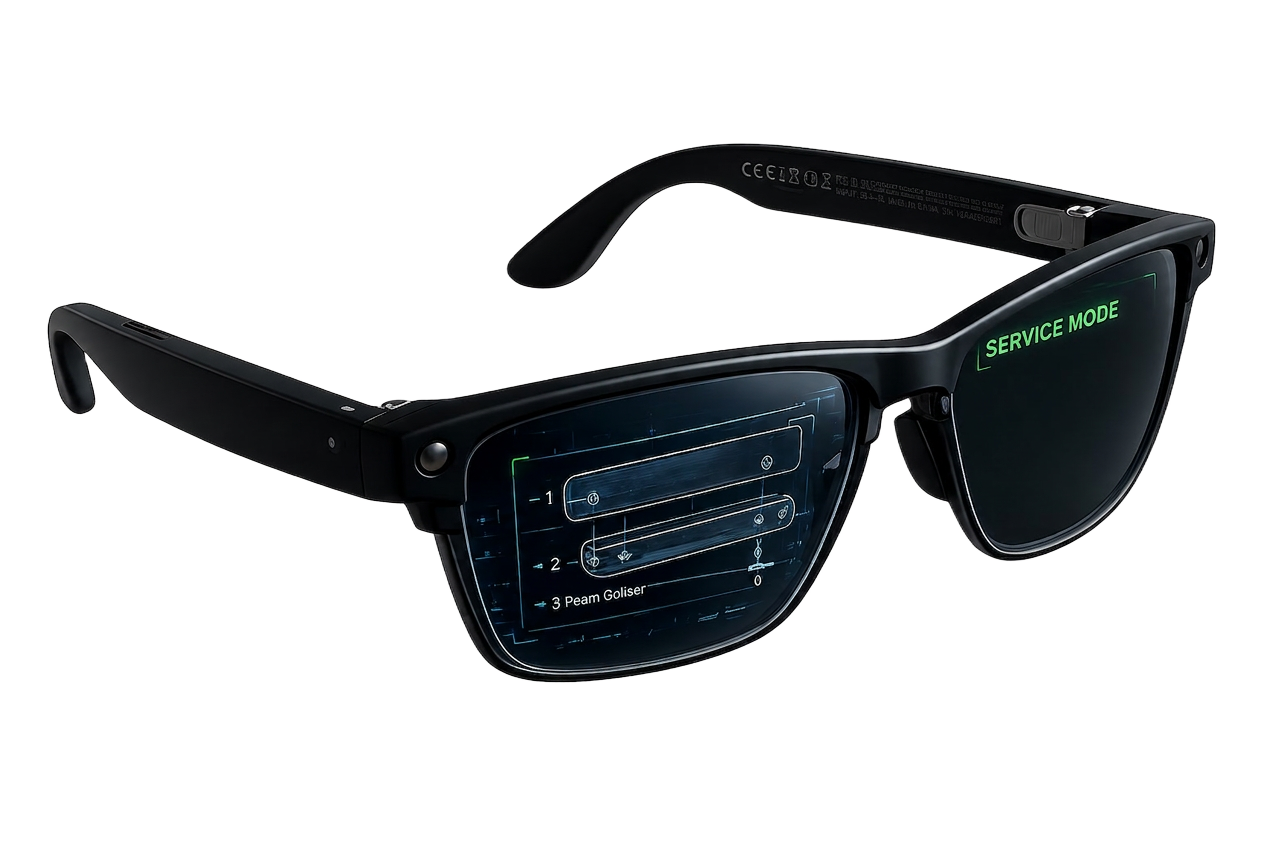
VizAi AR smart glasses for heavy construction welding
What the welder sees

POV — Live weld instruction HUD

WPS callouts, pass count, amperage and travel-speed targets, interpass temp, and the next instruction — staged before the welder lifts the hood.

REC · WELD-CAM
WPS 1-A-3|JOINT B-12
WPS · AWS D1.1
Process · FCAW-G
Joint · 2F · Fillet
Filler · E71T-1 · 0.045"
Position · Horizontal
Live Params
Amps
218
200–240
Volts
26.4
24–28
Travel
11 ipm
10–14
Interpass
312°F
≤ 550°F
← Puddle · 6.2mm
Next Instruction · Pass 3 of 4 (Fill)
Wait for interpass < 300°F · stringer bead, 30° drag · overlap prior toe by 1/3
Cooling
Use cases

Every Joint. Every Pass. Every Spec.

From tack-up to final inspection — the procedure travels with the welder.

WPS in your line of sight

Joint, position, filler metal, and pass count staged before the arc strikes.

Live parameter targets

Amperage, voltage, and travel-speed windows shown next to the puddle.

Interpass temp prompts

Get pinged when the joint cools into spec — never guess again.

Pass-by-pass sign-off

Voice-confirm root, hot, fill, and cap. Auto-logged with timestamp.

QA & inspector handoff

POV evidence packaged for the CWI — no rework chasing photos.

Apprentice ramp-up

Senior welders push procedures to crews in the field, hands-free.

Platform

ServiceOS, Tuned For Heavy Construction

The same VizAi platform — adapted for structural steel, pipe, and heavy fab.

Job & joint records

Organize by project, drawing, piece mark, and joint ID.

Crew & cert tracking

Match welders to qualified procedures automatically.

Live POV streaming

Loop in the welding engineer or CWI from anywhere.

Auto-tagged passes

Voice and gesture tag each pass complete, repair, or NDE-ready.

Code & compliance

AWS D1.1 / ASME IX documentation packages exported in one click.

Owner-ready reports

Heat logs, NDE reports, and turnover packages — generated for you.

Heavy equipment service

Service Work Happens Everywhere. The Record Shouldn't.

Heavy equipment service happens where the machine sits. That means remote jobsites, limited connectivity, weather, and a technician working alone with no one to confirm what they found.

Field repairs are the hardest work to document and the most expensive work to get wrong. Component claims depend on evidence of the failure, and a machine's service history is only useful if every field visit made it into the same record as the shop work.

Meanwhile the manager back at the shop is trying to understand progress from a phone call, and the tech is trying to describe a failure they can see and no one else can.

  • Field repairs at remote jobsites
  • Equipment inspections done solo
  • Repair evidence needed for component claims
  • Machine-specific service histories split across field and shop
  • Field-to-manager communication by phone call
  • Documentation captured with hands full and gloves on
How ServiceOS helps

One record for the work, built while the work gets done.

Document Work as It Happens

Capture service photos, video, notes, and work documentation while technicians perform the job — not hours later from memory.

Organize Everything Around the Work

Every file stays connected to the right repair order, job, asset, and work step, so nothing has to be sorted by hand.

Create a Permanent Service Record

Build an organized history of work instead of leaving evidence scattered across phones, messages, folders, and paper.

Give Managers Visibility

Service managers review work documentation and supporting media without constantly interrupting technicians.

Capture Hands-Free

Where supported, wearable technology lets technicians document work without reaching for a phone mid-job.

Turn Service Activity Into Useful Information

AI-assisted workflows help organize and summarize service documentation so the record is easy to review and share.

Heavy equipment service

Field service documentation is the hardest kind

Heavy equipment repairs happen where the machine is: a jobsite, a quarry, a pipeline right-of-way, a bridge deck. The technician is often alone, often out of coverage, and always working against the clock because the machine is holding up production. Documentation is the first thing to go.

The result is a service department that knows what it billed but not what it did. Field techs call in a verbal summary, the writer types an approximation, and the photos — if anyone took them — never make it off the phone. When the customer questions the invoice, or the manufacturer asks for failure evidence on a component claim, there is nothing to point to.

Shop and field also fall out of sync. A machine that was diagnosed roadside arrives at the shop with no record of what the field tech already ruled out, so the shop repeats the diagnosis and the customer pays for it twice.

One machine record, field to shop

ServiceOS keys everything to the machine: make, model, serial, hour meter, and component history. Whether a job starts in the field or in the bay, it opens against the same record, and both technicians see the same history and the same captured evidence.

Field techs work a guided repair checklist on a phone, tablet, or AR glasses. Capture is hands-free when it needs to be, which matters when a tech is inside an engine compartment or under a boom. Failed components, hour readings, fluid samples, and hose routing all get photographed against the step that called for them.

Everything captures offline. When the truck rolls back into coverage, the entire job — media, notes, hours, findings — syncs to the shop record without the tech doing anything.

  • Machine records by serial, model, and hour meter
  • Guided checklists for field diagnosis, component replacement, and PM
  • Full offline capture with automatic sync
  • Shared history so the shop never re-diagnoses field work

Warranty and component claims backed by evidence

Component claims on heavy equipment carry real money, and manufacturers reject the ones that arrive thin. ServiceOS produces the failure documentation package as a byproduct of the repair: serial-tagged photos of the failed part, hour meter at failure, technician narrative, and the sequence of diagnostic steps that led there.

Because the evidence is captured at the moment of failure rather than reconstructed weeks later, claim quality improves and rejection rates fall. Dealers running large service departments typically find this is where the platform pays for itself first.

Visibility for service managers and dispatch

Dispatch needs to know whether a field tech is finishing or stuck. ServiceOS shows job progress step by step, with flagged blockers and the photo that explains them, so the office can order the part or send a second tech before the customer calls to ask.

Service managers get the same board across field and shop work: open jobs, technician assignment, stage, and hours captured. Over time it exposes which job types consistently run over, which machines generate repeat failures, and where field diagnosis is failing to stick.

  • Live job progress for field and shop work in one board
  • Blockers surfaced with supporting media before they cost a day
  • Job-type and machine-level trend visibility

Keeping expertise in the company

Heavy equipment diagnosis is deep, specialized knowledge held by a small number of people. When a senior field tech retires, the department feels it immediately. Recording real repairs from the technician's own viewpoint turns that expertise into a library the next generation can actually learn from.

It also shortens remote support. A junior tech stuck in the field can share exactly what they are looking at with a senior tech or a factory rep instead of describing it over the phone, and the whole exchange stays attached to the job record.

Common questions

Does this work with no cell coverage on site?
Yes. Checklists, capture, and notes all work fully offline and sync automatically when the device reconnects.
Can we use it for both field service and in-shop work?
That is the point. Both open against the same machine record so history and evidence carry across.
Will it slow down a technician who is under pressure?
Capture is designed to be faster than the alternative — a voice command and a glance instead of stopping to type. Most techs document more, not less, after switching.
Can we export documentation to a manufacturer's claim portal?
Yes. Completed jobs export as a packaged record with media, hours, and technician narrative.

Bring field repairs back with proof attached.

See how heavy equipment dealers and contractors use ServiceOS to document field service, win component claims, and keep the shop in sync.